
Ribbon promo
Ribbon promos run the full width of the page and you can choose a right or left-hand side layout, different colours, adding images, a heading, description, and up to two call-to-action buttons.
When to use Ribbon Promos
The Ribbon Promo content type is a large colourful signposting link containing an image. You should only use one per page, as too many will mean they no longer stand out. For the rest of your signposting links, you should use the Cards content type.
Example
A Promo Block content type will include -
- Title
- Description sentence
- Image
- Links x2
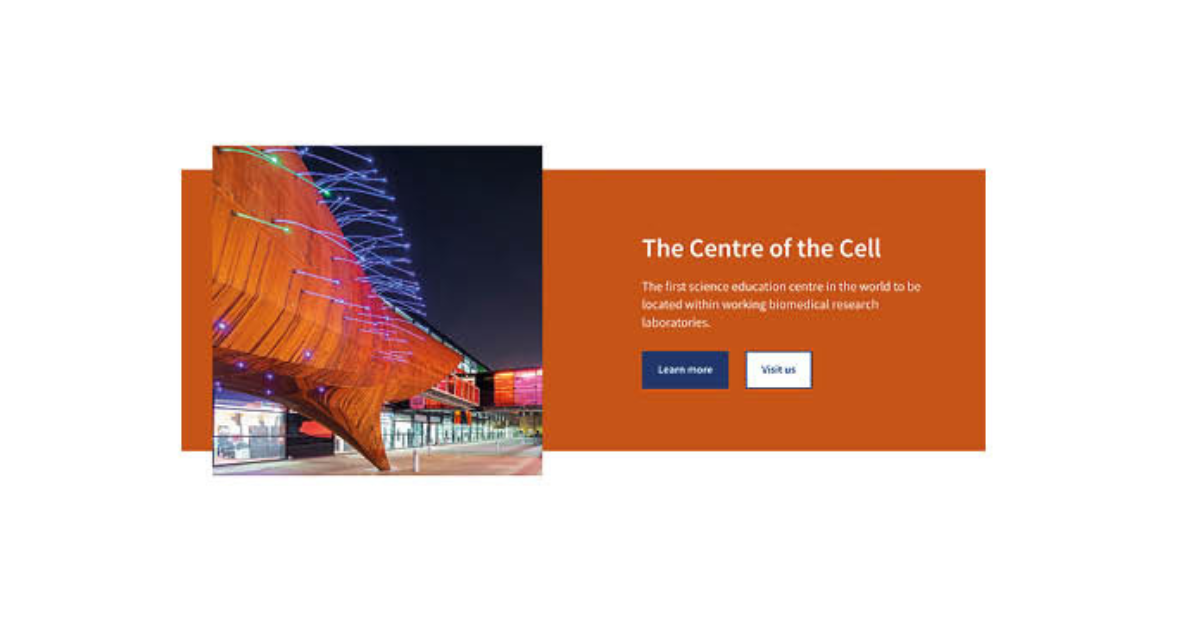
Example of the Ribbon Promo content type on T4.
Creating the Ribbon Promos content type
Components
The Ribbon Promo content type only has one component, and you add that to the webpage you would like it to appear.
If the content type is not listed as an option once you have selected '+ Add Content', please contact websupport@qmul.ac.uk.
Adding the content type to your webpage
Name
This is how your content type will be named within the backend of T4 and will not be publicly visible.
Heading
This should be the title of the page you are signposting to.
Supporting text
This is the description sentence for the page you are linking to.
Links
Here you link to the page you are signposting to.
- Section link – Use this to link to a T4 webpage.
- Content link – Use this to link to a specific T4 news story or staff profile.
- External link – Use this to link to a page outside of T4.
Image
Upload your image here.
Image align
Keep as left-alligned unless told otherwise.
Background
Select your chosen colour. We recommend avoiding orange, as the colour contrast can sometimes be difficult for people with visual impairments to see.
Footer text
Leave blank unless told otherwise.