
Reveal more
The Reveal More content type is used to display long pieces of copy in a compressed format. Find out when to use it, and what information to include.
When to use a Reveal More
The Reveal More contain type allows you to add drop-down text to your webpage. It should only be used when the information will only be relevant to certain people, rather than just because you want to make your webpage shorter.
A good example of where you might use the Reveal More content type is on an FAQ page, as it allows people to quickly find the specific piece of information they are looking for.
Example
Reveal Mores appear as blue headings with a plus sign. Users can click this to expand the reveal more item and see the below text.
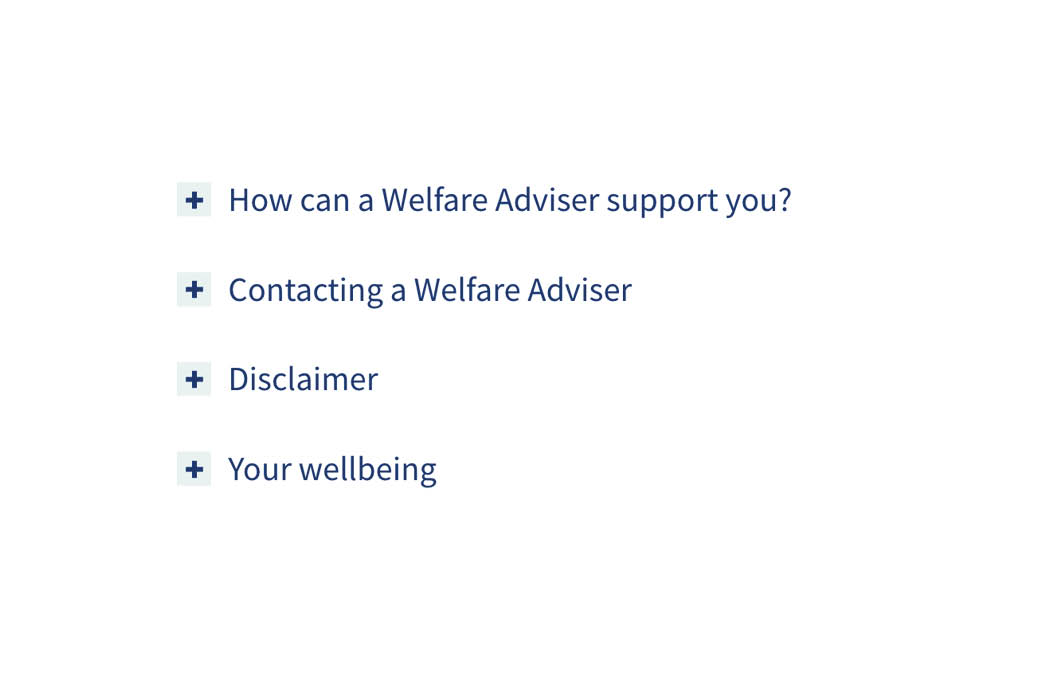
Example of Reveal More items on a webpage before they are expanded.
Creating a Reveal More
Components
This content type has two components, and you will need both for the it to appear on a webpage. Both components sit directly on the page you would like the content type to appear on. These components are -
- Reveal More Container (this pulls all your items into one list on your webpage)
- Reveal More Item (these are the individual dropdown items)
If both the above components are not listed as an option once you have selected '+ Add Content', please contact websupport@qmul.ac.uk.
Adding the content type to your webpage
Reveal more container
Name
This is how your content type will be named within the backend of T4 and will not be publicly visible.
Group
This is to tell T4 which items you would like to group together. Usually, you will only have one list of reveal more items on a page, so would only choose group one.
Reveal more item
Name
This is how your content type will be named within the backend of T4 and will not be publicly visible.
Title
This should be the title of the reveal more item you want to have appear on the page.
Text
This is where you add all the text you would like to have appear when the user expands the reveal more. You can use the format dropdown to format headings, like when adding general content to the page. This is important to do if the copy you are adding is quite long.
Group
You should pick the same group number as the Reveal More Container. Usually, you will only have one list of reveal more items on a page, so would only choose group one.