
Stats
Use stats to promote statistics or facts on your pages. Find out how to add them to your page, and what information you should include.
When to use Stats
The Stat content type on T4 allows you to add stats in rows of three to your webpage. It is important to note that this content type has been developed to highlight number stats, rather than long facts (as these won’t fit).
It is important to only use official Queen Mary stats taken from our Key Messages Toolkit. Using incorrect or outdated statistics is not Competition and Markets Authority compliant.
Example
The Stat content type comes in a collection of colours and contains -
- The number within the stat (Eg 4th)
- A subheading giving context to that number (Eg in the UK for Linguistics)
- A small line containing the stat source (Eg The Times Good University Guide 2026)
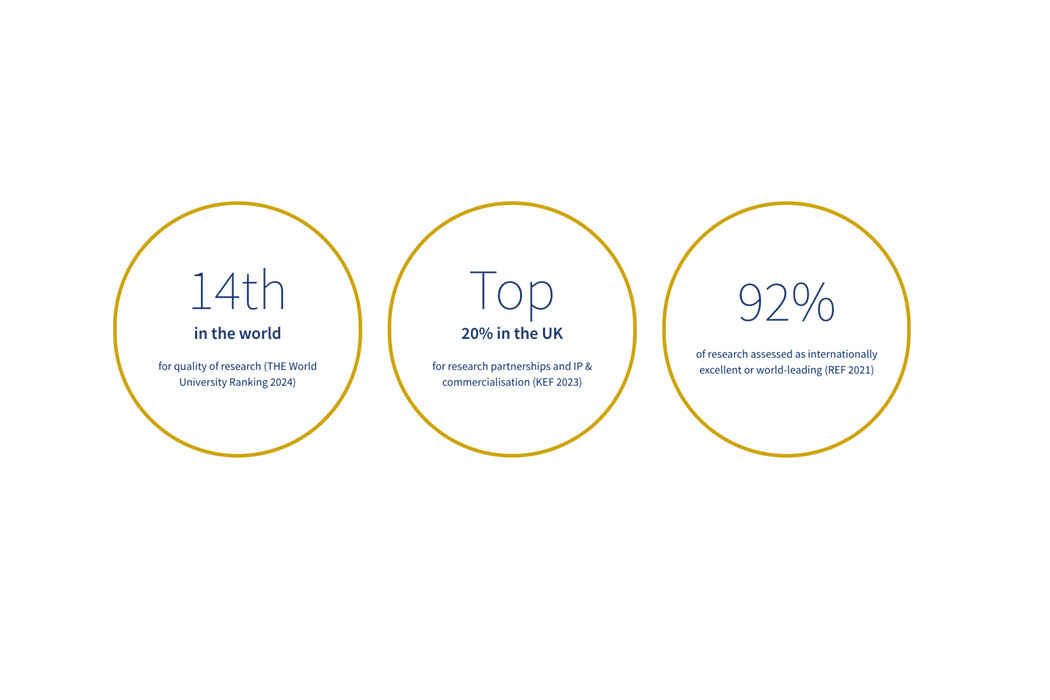
A row of three stats in golden circles on a T4 webpages.
Creating the Stats content type
Components
This content type has two components, and you will need both for your stats to appear correctly.
- Stat Container
- Stat
If either of these content types are not listed as an option once you have selected '+ Add Content', please contact websupport@qmul.ac.uk.
Adding the content type to your webpage
Stat Container
The Stat Container element should sit on the webpage you would like the row of stats to appear on.
Name
This is how your content type will be named within the backend of T4 and will not be publicly visible.
Heading
An option heading you would like to have appear above your row of stats.
Button text
Leave empty
Internal/external link
Leave empty
Grey background
Leave unticked
Stat
For the stats to show on the page inside the stat container, you'll have to put them in a child section of the page that you are editing.
Create a child section.
- Name this child section as 'Stats'
- Note: It is crucial to name the section exactly as written above otherwise the stat content types won't be pulled through to the page.
Name
This is how your content type will be named within the backend of T4 and will not be publicly visible.
Type
This is where you select the colour for your stat. It is best to make sure each stat you create is a different colour.
Heading
This is where you put the number for your statistic (Eg 4th)
Sub-heading
This is where you provide context for your statistic (Eg in the UK for Linguistics)
Image
Leave empty
Copy
The source for your statistics (Eg The Times Good University Guide 2026)
Align
Leave as ‘Default’