
Tabs
Find out more about when to use Tabs on your webpages, and what information you should include.
When to use Tabs
The Tab contain type allows you to add expandable text to your webpage. It should only be used when the information will only be relevant to certain people, rather than just because you want to make your webpage shorter.
Example
Tabs appear as headings within grey boxes. As users click a title, that tab will open and the previous tab will close.
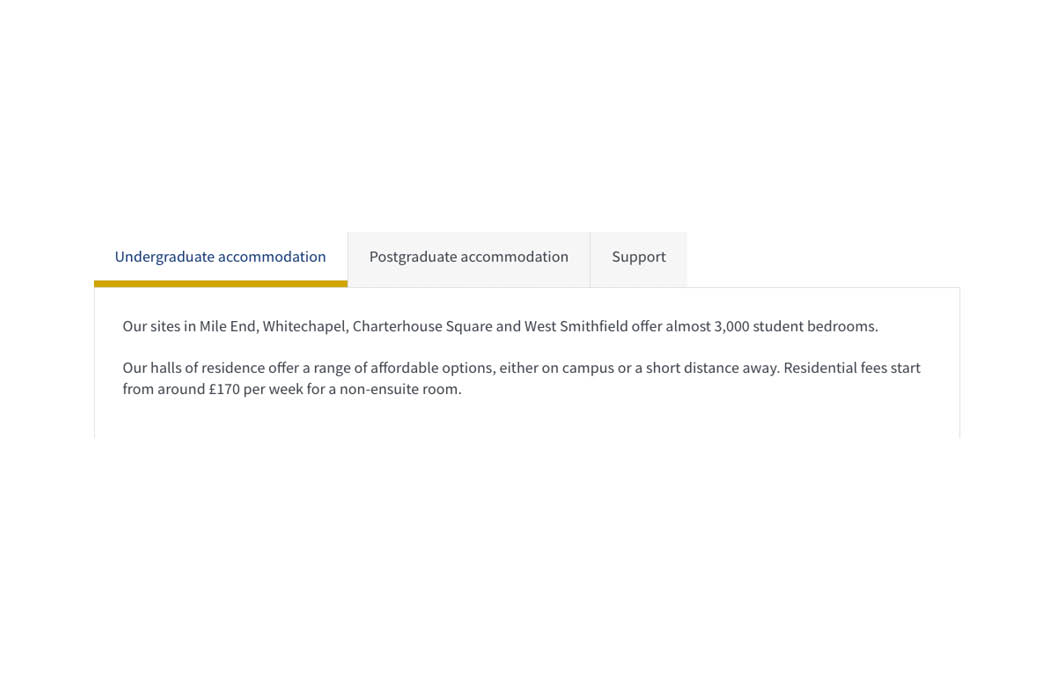
An example of tabs filled with content on a T4 webpage.
Creating Tabs
Components
This content type has two components, and you will need both for the it to appear on a webpage. Both components sit directly on the page you would like the content type to appear on.
These components are -
- Tab container (this pulls all your items into one list on your webpage)
- Tab item (these are the individual tab items containing content)
If either of the above components are not listed as an option once you have selected '+ Add Content', please contact websupport@qmul.ac.uk.
Adding the content type to your webpage
Tab container
Name
This is how your content type will be named within the backend of T4 and will not be publicly visible.
Tab item
Name
This is how your content type will be named within the backend of T4 and will not be publicly visible.
Tab title
The heading that will appear on the page for users to click on.
Tab content
The content that will appear when a user clicks the relevant title.